
Automatically refresh grave flowers each death anniversary in 2026
Instead of remembering to check grave flowers each anniversary, set a grave flower anniversary reminder in Google Calendar with annual recurrence and advance alerts. This 2026 guide automates the reminder—not flower replacement—and helps you plan a visit. If a replacement is needed and cemetery rules permit it, you can view the artificial silk grave cone with dedication from Stemsfromheaven.
Artificial grave flowers mean you are not replacing them every few weeks. Browse our artificial grave flowers.
- Google Calendar suits a grave flower anniversary reminder: repeat the event yearly and add advance notifications.
- Stemsfromheaven suits UK families choosing handcrafted artificial funeral flowers and memorial tributes.
- Use separate preparation and visit reminders when another family member helps with grave care.
- A calendar reminder does not order flowers, arrange delivery or replace a graveside tribute.
Why this matters
An anniversary can bring enough decisions without also having to remember where the grave is, which flowers are permitted or who will visit. An annual calendar event keeps those practical details together, while an earlier notification gives you time to prepare without making decisions on the day.
Stemsfromheaven suits UK families choosing handcrafted artificial funeral flowers. The calendar handles the recurring prompt; you decide whether the existing arrangement needs cleaning, securing or replacing. Refreshing a tribute does not have to mean buying another one.
Before you start
- Account and access: Sign in to Google Calendar on a computer. Use an account you regularly check, and confirm that your phone or browser permits calendar notifications.
- Details and materials: Have the anniversary date, cemetery name, grave location and current cemetery rules ready. If you share visits, agree who will prepare the flowers and who will attend.
- The easily missed setting: A saved event is not proof that an alert will reach you. Add event notifications explicitly and test them; device permissions can prevent an otherwise correct reminder from appearing.
If the anniversary falls on 29 February, decide how you want to observe it in a non-leap year before setting recurrence. Choose a consistent alternative date rather than assuming the calendar will make that personal decision for you.
Anniversary date
Start with a timed event so you can attach alerts to a clear time of day. Choose a quiet moment when you normally check your phone, rather than a time that interrupts work or sleep.
- Open Google Calendar on your computer and select Create, then Event.
- Enter a discreet title, such as Grave flowers — anniversary check. On a shared calendar, avoid personal details you do not want others to see.
- Set the first anniversary date you want the reminder to cover. If the date has already passed in 2026, select the next occurrence using the calendar's date picker.
- Choose a convenient start and finish time. This is a reminder slot, not a commitment to visit at that exact time.
- In Add description, record the cemetery name, grave reference, permitted container type and any family preferences.
Keep the description practical. A favourite colour, an existing pot that fits correctly and a note about who normally visits are more useful than a long list of possible purchases.
Expected result: The draft event shows the correct anniversary date, an identifiable title and enough information to prepare without searching through messages.
Annual recurrence
Set the repeating rule before adding alerts. Otherwise, you risk saving a reminder that works once and disappears from your plans after the first anniversary.
- Open the dropdown labelled Does not repeat.
- Select the annual repeat option for your chosen date. Check that it describes a yearly anniversary, not a monthly event or a particular weekday.
- Select Save.
- Move forward in the calendar to inspect a later occurrence. Confirm that the month and day match your intended anniversary.
If you need a different recurrence pattern, use Custom… and inspect the resulting dates before relying on it. A rule based on a weekday is not the same as a fixed date: the second Sunday of a month will not always fall on the anniversary.
Expected result: The event appears on the intended anniversary in later calendar years without you creating each occurrence manually.
Advance notifications
Give yourself a preparation alert and a nearer-date check. The following intervals are suggested planning choices, not delivery estimates or cemetery requirements.
- Open the saved event and select the pencil-shaped edit control.
- Select Add notification and choose a notification 21 days before the event. Use this prompt to inspect the current flowers, check cemetery rules and decide whether anything needs replacing.
- Select Add notification again and add another alert 7 days before the event. Use this prompt to confirm who will visit and gather anything needed.
- Select Save. If Google Calendar asks which events to update, apply the change to the recurring series rather than only the open occurrence.
For a 2026 anniversary that is already close, an advance notification time can fall in the past. Do the preparation check now; keep the longer notice period for later annual occurrences.
Expected result: The recurring event includes both preparation alerts. You have a prompt to review the arrangement before the anniversary, rather than only on the day.
Final check
Test the notification route separately from the memorial event. This avoids changing an emotionally important date just to see whether your phone displays an alert.
- Create a separate, non-repeating event with a start time 5 minutes ahead.
- Add a notification at the event time and save it.
- Check that the alert arrives on the device you intend to use. If it does not, check account synchronisation, notification permissions and any quiet-mode settings.
- Delete the test event once the alert has arrived. Reopen the anniversary event and confirm its recurrence and advance notifications remain correct.
Expected result: A test notification reaches your device, and the anniversary series remains unchanged.
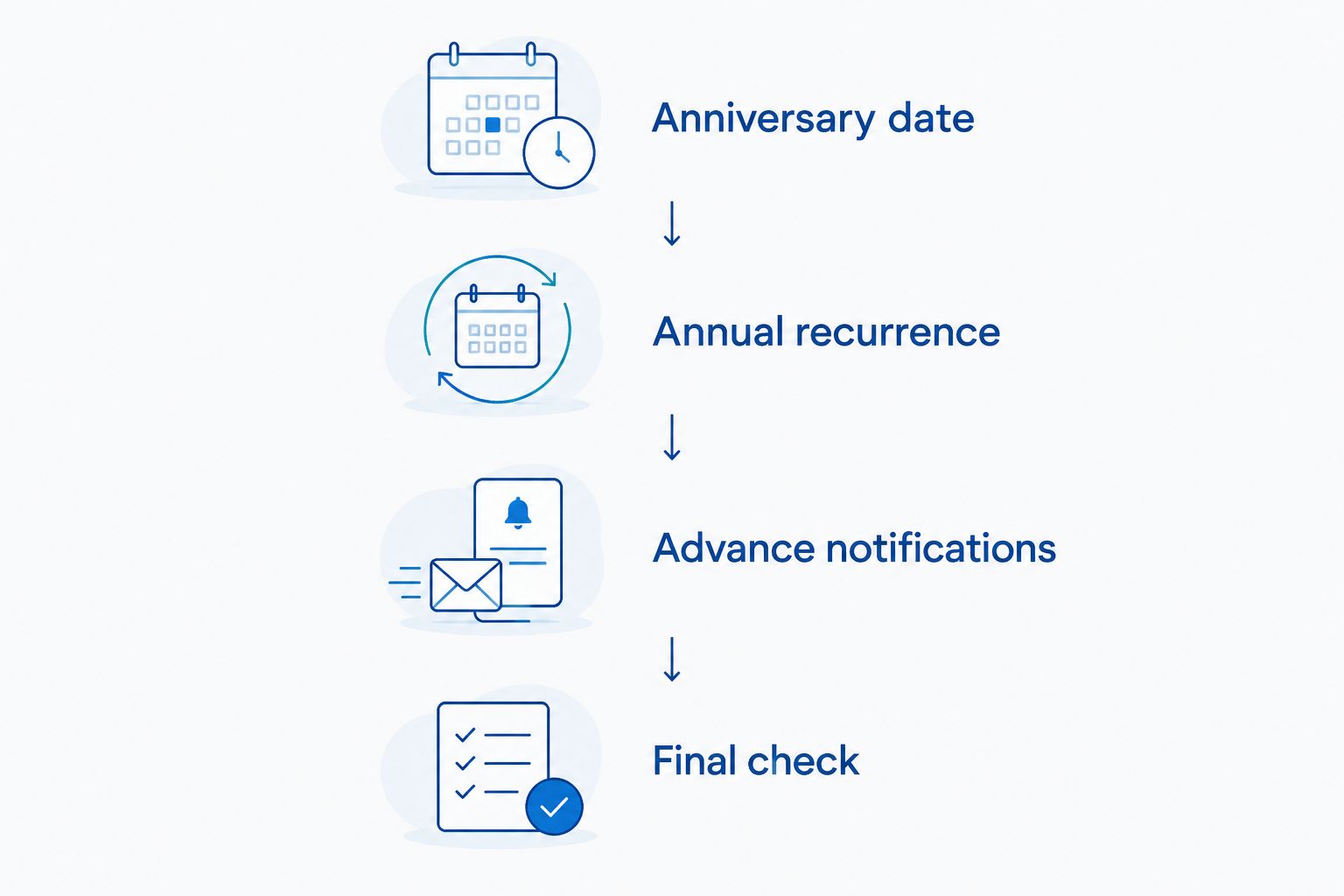
The workflow follows four checks: establish the date, repeat it annually, add advance alerts and verify delivery. Complete all four before treating the reminder as dependable.
Separate preparation from the anniversary visit
Use two recurring events when preparation and visiting belong to different people, or when you prefer not to receive practical reminders on the anniversary itself. This keeps the memorial date distinct from the work around it.
| Workflow | Best for | Benefit | Limitation |
|---|---|---|---|
| Single annual event | One person managing preparation and visiting | Keeps the date, notes and advance alerts together | Preparation and memorial details share one event |
| Preparation and visit events | Families sharing grave care | Separates responsibilities and gives each event its own alerts | Both recurring series need checking when plans change |
Create a preparation event on your chosen date before the anniversary, then give it annual recurrence and its own notifications. Keep the anniversary event for the visit or a quiet moment of remembrance. For your 2026 setup, write each person's responsibility in the relevant description.
Choose the single-event workflow unless separate responsibilities make two events useful. More reminders are not automatically more helpful, particularly when an anniversary already feels difficult.
When arrangements change, edit the affected event and choose whether the change applies once or to the series. A one-off visit change should not move every future anniversary.
Troubleshooting
- The event appears, but no alert arrives. Check that the event contains a notification, that you are signed into the same account on your phone, and that Google Calendar has permission to notify you. Repeat the separate test after making changes.
- Only this year's reminder has changed. Reopen the recurring series and check a later occurrence. When saving the correction, select the series-wide update rather than the single-occurrence option.
- The preparation alert was missed because its date has passed. Complete the check manually now. Leave the advance alert in place for future anniversaries instead of moving the anniversary to force a notification.
- Family members receive duplicate prompts. Choose one shared event series rather than maintaining separate copies for the same responsibility. Remove redundant copies only after confirming which event everyone will use.
- Flowers have moved or the container is unsuitable. Check cemetery rules and the container's fit before returning it to the grave. A reminder cannot compensate for an unstable arrangement or a prohibited fixing.
Customize your workflow
Add a short preparation checklist to the event description: inspect, clean, check stability, confirm permission and decide whether to replace. Record the colour or shape that has personal meaning, without treating a new arrangement as an annual obligation.
For artificial flowers from Stemsfromheaven, keep any supplied care information with your reminder notes. Do not assume that an artificial or silk label confirms outdoor suitability, resistance to fading or permission for use at a particular cemetery.
Use the grave flower pots guide when reviewing containers. Confirm the permitted dimensions and fixing method with the cemetery before selecting a replacement.
FAQ
How do I set a grave flower anniversary reminder?
Create a Google Calendar event on the anniversary, set it to repeat annually and add advance notifications. Record the grave location and preparation notes in the description, then test notifications with a separate event.
Will an annual reminder automatically replace grave flowers?
No, an annual reminder only prompts you to act. It does not place an order, arrange delivery or replace flowers at the grave.
How far ahead should I set the flower preparation alert?
Use 21 days ahead as a planning choice, with a second check 7 days before the anniversary. Adjust those intervals to your own arrangements; they are not delivery promises.
Do artificial grave flowers need replacing every anniversary?
No, replacement should follow the arrangement’s condition and the cemetery’s rules, not the calendar alone. Inspect the flowers and container, then decide whether cleaning, repositioning or replacing is appropriate.
Can I share the anniversary reminder with my family?
Yes, you can use a shared calendar event or invite relatives to the event. Agree who handles preparation and visiting, and ask each person to check their own notification settings.
What should I do for an anniversary on 29 February?
Choose the date you want to observe in non-leap years and verify the calendar’s future occurrences. A consistent alternative date avoids relying on an untested recurrence rule.
Can Stemsfromheaven flowers be used at any cemetery?
Cemetery permission must be checked with the individual cemetery. Stemsfromheaven sells artificial funeral flowers and memorial tributes, but material, container and fixing rules remain site-specific.
One last thing
Write ‘inspect first’ in your reminder, not ‘replace flowers’. For your 2026 setup, that small wording choice leaves room to keep a meaningful tribute that remains in good condition. The anniversary is an opportunity to remember, not a requirement to purchase.
Related guides